
League of Legends esports, in a corner of your screen.
For the pro match you can't watch: the score, the clock, the gold lead, how long until the next drake or Baron, and what just happened, at a glance. SmalLoL is an unofficial desktop companion for League of Legends esports. Free and open source.
Coming soon · Windows first · being tested during Worlds 2026
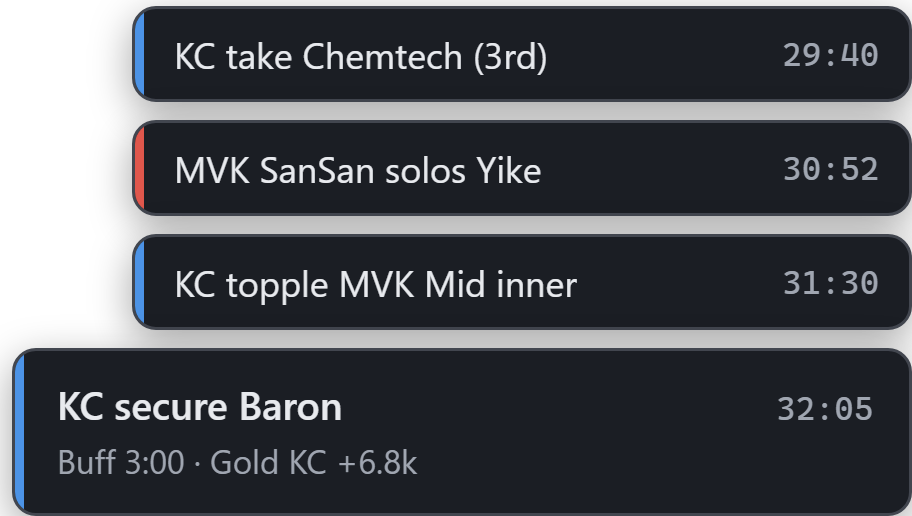

One bar, two lines. That's enough.
The top line is where the game stands; the bottom line is what just happened. The buttons only appear when the mouse comes over, so it stays out of your way.
- Score
- Each team's kills, counted the way the broadcast counts them.
- Clock
- How long the game has been going.
- Timers
- The next two objectives: which drake, Baron or Herald, and how long until it spawns.
- Gold
- Which team is ahead, and by how much.
- Latest play
- "KC secure Baron", "MVK SanSan solos Yike": one line.
Only the big moments pop up.
Baron, a Soul, an inhibitor, a game won: a card in the corner of the screen. Towers, drakes and kills get a thin strip. A run of towers or a wave of level 6s becomes one strip that updates, not a pile.
Or set each kind of event yourself: off, log only, strip or card. Star a team and its big moments move up a step.
Want a little more? Open it.
Three optional windows, each placed where you want it. They open by themselves when a match is on and get out of the way when it is not.
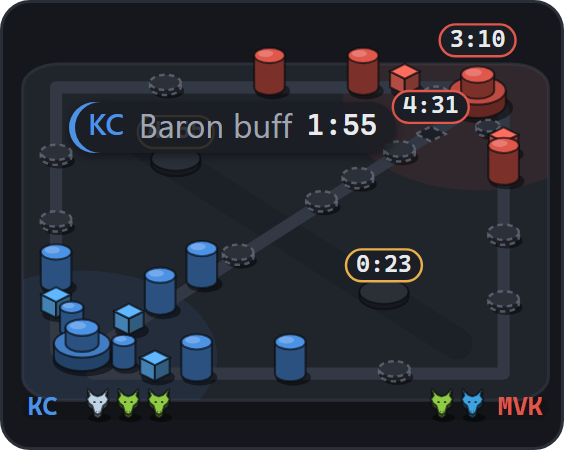
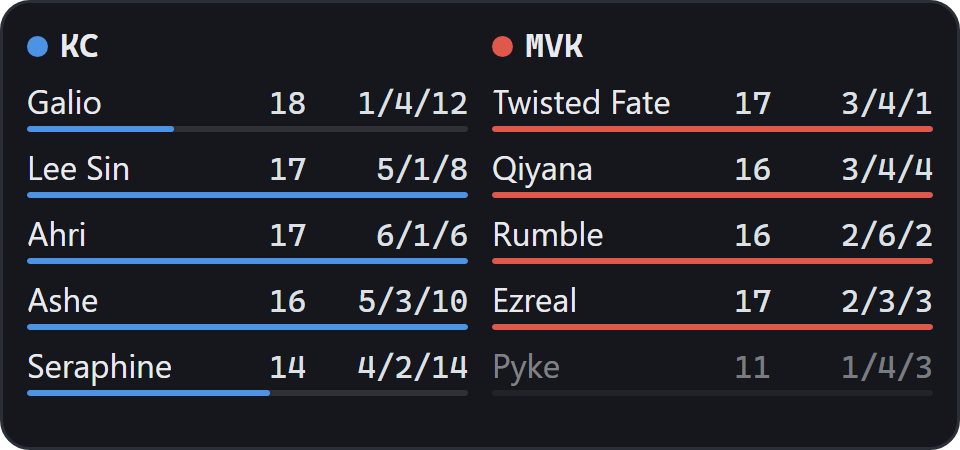
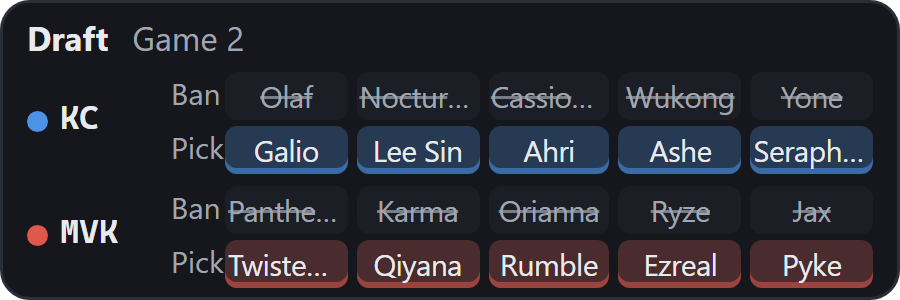
Just enough game for a work day.
- History.Click the bar for every event of the last five games, by game time, filtered by importance or team.
- Schedule, teams, players.The data window has the schedule, team pages with the roster and this event's bans and picks, and player pages.
- Spoiler-free.Turn it on and the schedule hides scores and winners, so you can catch up later.
- Low-key mode.A small grey strip of numbers that does not look like sports. It turns on by itself while you present, play full screen or have Do not disturb on.
- Hotkeys.Ctrl+Alt+Shift+H hides every window; Ctrl+Alt+Shift+Q toggles low-key mode.
- One click to the stream.Save the stream you watch and cards get a "▶ Watch" button for when something big happens.
- Sound if you want it.Cards can play a short tone; off by default.
- English and Traditional Chinese.Champion and item names as the game shows them.
Download
The installed version updates itself; no need to come back here.
Coming soon. The first version is still being prepared, for Windows 10 and 11 first. When it is out, the download will be on GitHub Releases, and everyone on the list gets an email.
Windows 10 and 11. The installer does not need administrator rights.
Latest version . Every version and its changes are on GitHub.
Tell me when it's out
Leave your email and you'll get one message when the first version is out. If you pick Mac, you'll get one more when there is news about a Mac version, whether it happens or not.
Only your email, the computer you picked, the language and the day you signed up are kept, on Cloudflare. They are used only for the emails described above; then the whole list is deleted. Never shared, nothing else sent. You can type your email above and press "Remove my email" at any time.
Where the data comes from
The app reads a match data service every five seconds. The service (smallol-cv, also open source) combines the official LoL Esports live data (score, gold, kills, objectives, items) with what it reads from the broadcast picture (which tower fell, the draft, the Herald).
By default the app uses the public instance; you can run your own and point the app at it in Settings. Champion and item names come from Riot Games' Data Dragon.
Questions
Not here? Ask on GitHub.
Is this made by Riot Games?
No. SmalLoL is an independent fan project. It isn't endorsed by Riot Games and doesn't reflect the views or opinions of Riot Games or anyone officially involved in producing or managing Riot Games properties. It has nothing to do with any team either.
When can I download it?
The first version is still being prepared, for Windows first. Leave your email and you'll get one message when it is out. If you can't wait, you can build it from source with the instructions on GitHub.
Does it cost anything? Are there ads?
It is free and open source (Apache License 2.0), with no ads and nothing to pay for.
Is it ahead of the stream?
No. The data comes from the official live data and the broadcast picture, and both arrive a little after the stream. It is for knowing how the game is going without watching, not for learning results early.
Will it spoil results?
During a game the bar shows the score; that is what it is for. If you'd rather not see the results of games that are already over, turn on Spoiler-free in the data window and the schedule hides scores and winners.
Isn't it obvious at work?
Switch to low-key mode and it becomes a small grey strip of numbers that does not look like sports. It turns low-key by itself while you present, play full screen or have Do not disturb on, and Ctrl+Alt+Shift+H hides every window.
Does it run on a Mac?
It has only been tested on Windows, and the first version is Windows only. A Mac version depends on how many people want one: pick Mac when you sign up and you'll hear when there is news.
How does it update?
The installed version tells you in the app when there is a new version, and one click updates it. No need to come back here to download.
Does it collect my data?
The app doesn't. No account, no analytics. It only reads match data from the data service and checks for new versions. Settings and the event history stay on your computer.
No account. No analytics.
The app talks to two places: the match data service (the public one by default, or your own) and the check for new versions. Only when you click "▶ Watch" does it open the stream address you saved, in your browser. Settings and the event history stay on your computer.